The reason is straightforward: by default, the reviewer has no point of view. It’s a smart generalist with no particular stake in your stack, so it hedges. It notices the shape of a problem without committing to the specifics, and specifics are the entire value of a review.
You can fix this by writing a review persona which is a document that tells Claude to act as, say, a security auditor who knows WordPress, cares about nonce verification and capability checks, and speaks bluntly about data exposure. That works well.
The files land in a personas/ directory:
Or, more succinctly, you can just run the /persona-generator command. Either way, it’ll read the codebase, confirm what it found, and write the files once you’re happy.
Create security and UI review personas for this WordPress plugin.
Wait, What’s The Problem?
It’s a small thing that makes a large difference. A persona is only as good as its understanding of the stack, and the cheapest place to correct a misunderstanding is a one-line confirmation, not a file you have to read closely and rewrite later.
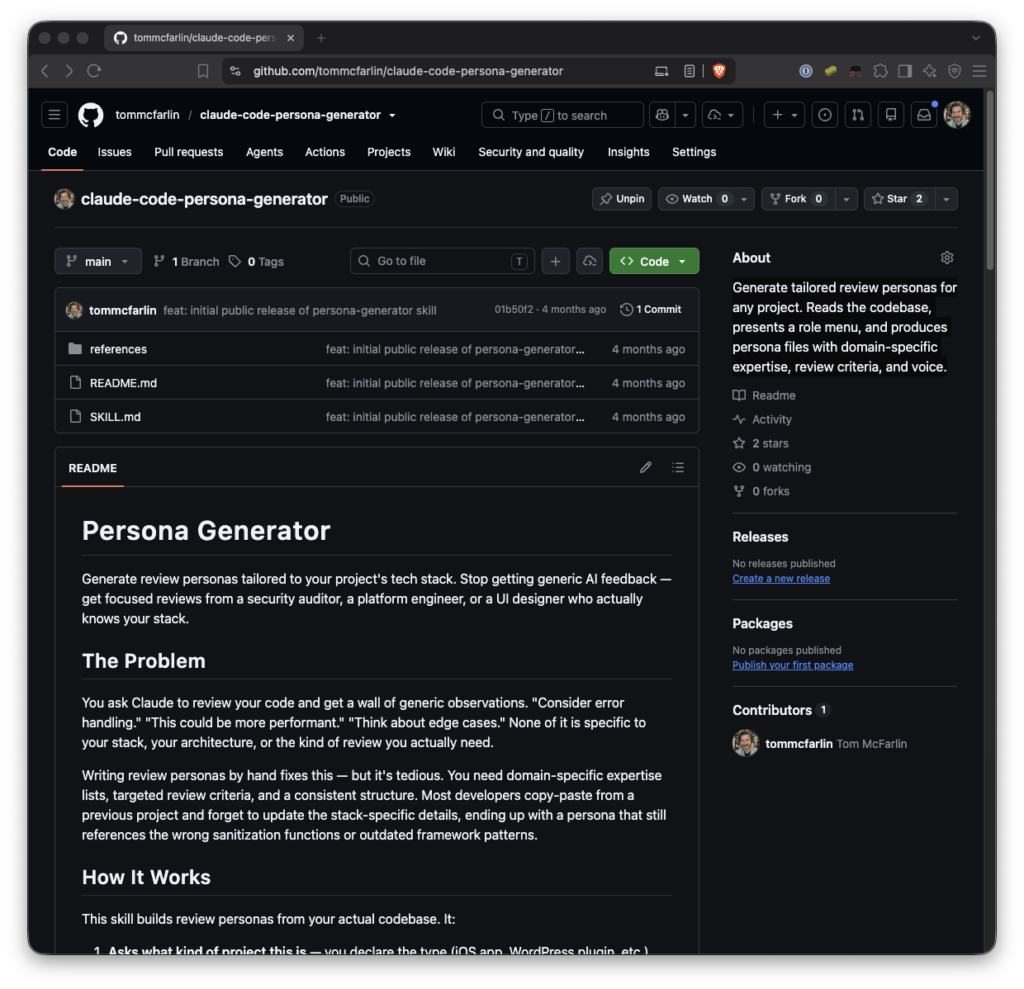
The persona generator reads your actual codebase and writes review personas tuned to what it finds. Not a security reviewer in the abstract. It’s a security reviewer that knows you’re using the Google Cloud Functions, references the available APIs you’re using, and flags the vulnerabilities that actually matter for the code in front of it.
Or be specific about what you want:
The pattern I use: finish a change, then hand the diff to the persona that’s most relevant. “Review this against personas/security-reviewer.md” gets a review that actually reasons about capability checks and sanitization instead of nodding at “error handling.”
Enter the Persona Generator Skill
It doesn’t know that this is a web app where the real risk is an unsanitized $_POST value flowing into a database call, or that this is an iOS app where the concern is a retain cycle in a closure.
The important word there is actual. The personas aren’t assembled from a template with your project name pasted in. They’re built from the frameworks, libraries, conventions, and functions the skill finds when it reads your files.
Pick Your Reviewers
This is the part I care most about, because it’s where a lot of “AI generates a config file for you” tools go wrong.
- Security Reviewer looks for vulnerabilities, data exposure, the unglamorous stuff that ships bugs
- Platform Engineer examines architecture, performance, testability
- UI/UX Designer evaluates interface design and accessibility
- QA Engineer tests coverage and regression risk
- Performance Engineer performs profiling and optimization
The tedious part has always been writing that down, keeping it current, and doing it once per role per project. If a skill can read the codebase and draft it for you, and let you confirm before it commits, then the good version of code review stops being something you have to set up by hand every time.
It Reads First, Then Confirms
With this skill, you don’t get one persona. You get a menu, and you choose the perspectives you want. The defaults cover the roles most projects need:
Generic code gets generic review.
For a bigger change I’ll run it past two or three personas in turn. Usually, I’ll do security first, then platform, then whoever else has a stake. Each one stays in its lane. You don’t need the security reviewer weighing in on your component naming.
The generation is a one-time step per project. After that, the personas sit in the repo and you reach for them when you’re reviewing changes.
personas/

├── security-reviewer.md

├── platform-engineer.md

└── ui-ux-designer.md
The skill doesn’t guess. Before it writes anything, it reads the codebase and tells you what it found. This includes things like the language, the frameworks, the testing tools, the conventions it noticed, then it waits for you to confirm.
- Role. A short statement of who this reviewer is
- Expertise. The stack-specific knowledge it brings, e.g. *”WordPress Plugin API: actions, filters, and the hook lifecycle”*
- Review Criteria. Numbered dimensions it evaluates against, each with a reason it matters
- Voice. How it talks, so a security auditor sounds appropriately terse and a UX reviewer sounds appropriately human
So the skill treats generation as a conversation: read, confirm, then commit to markdown.
If none of those fit, ask for something else. “Create an accessibility reviewer and a database performance reviewer for this project” works just as well as picking from the list. The menu is a starting point, not a fence.
How It Fits Into a Workflow
With that said, the broader idea generalizes past this one skill. A reviewer with a point of view gives better feedback than a reviewer without one, and a point of view is mostly just context plus a stance.
That’s the gap this skill fills.
If it reads your project as a REST API and it’s actually a CLI tool, you catch that before it generates three personas built on a wrong assumption.
Installing It
Generate personas for this project.
$ git clone https://github.com/tommcfarlin/claude-code-persona-generator.git ~/.claude/skills/persona-generator
One caveat worth stating plainly: a generated security reviewer is an assistive tool, not a substitute for a real audit on anything sensitive. It’ll catch a lot. It won’t catch everything, and it doesn’t carry liability.
The trouble is that writing one is tedious, and writing several is worse. You end up copying an old persona from another project and forgetting to update half the framework details, so your “React reviewer” is still talking about class components and lifecycle methods you stopped using two years ago.
It’s not wrong but it’s saying much. Feedback like that could apply to almost any code in any language written at any point in the last few decades.
If you ask Claude Code to review a changeset, you’ll get something useful. You’ll also, eventually, get something like this:
The Takeaway
Consider your error handling here. This could be more performant.
Each persona is a markdown file with four sections, and the structure is deliberately plain so you can edit it by hand afterward:
Clone it into your Claude skills directory: