Some of the key decisions of this feature:
A few details:
This isn’t a shared, live list that two people edit together. It’s sending someone a copy of yours. That’s deliberate. It’s the simplest version of sharing that’s actually useful, and it lets me learn how people use it before building anything bigger on top of it.
Share Your Watchlist
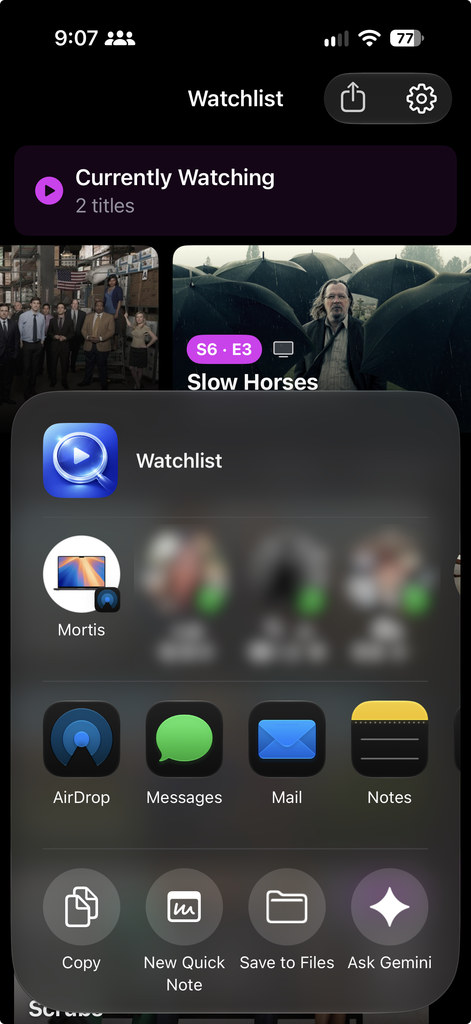
If you’ve filtered down to just Shows or just Movies, that’s what you can share. And if it’s one title you want to pass along, long-press it and choose Share.
In the last update, your watchlist stopped living on one device. Turn on iCloud sync and it follows you from your phone to your iPad. But it was still your list.
That’s the newest feature in the app.
As with every post about this app:
- It only adds. Importing a list never changes or removes anything already on your Watchlist. If you already have a title, it’s skipped, and the app tells you how many were added and how many you already had.
- It shares titles, not progress. Which episodes you’ve watched is yours. The person you send it to gets the shows and movies, not your history with them.
- It works without iCloud. Sharing doesn’t depend on sync being on. There’s still no account, no sign-up, and nothing passing through a server of mine. It’s a file sent from your device to theirs.
Posters and backdrops are now saved on your device as you browse. Artwork you’ve already seen loads instantly when you come back to it, even after you close and reopen the app, instead of downloading all over again every time.
But Wait, There’s More
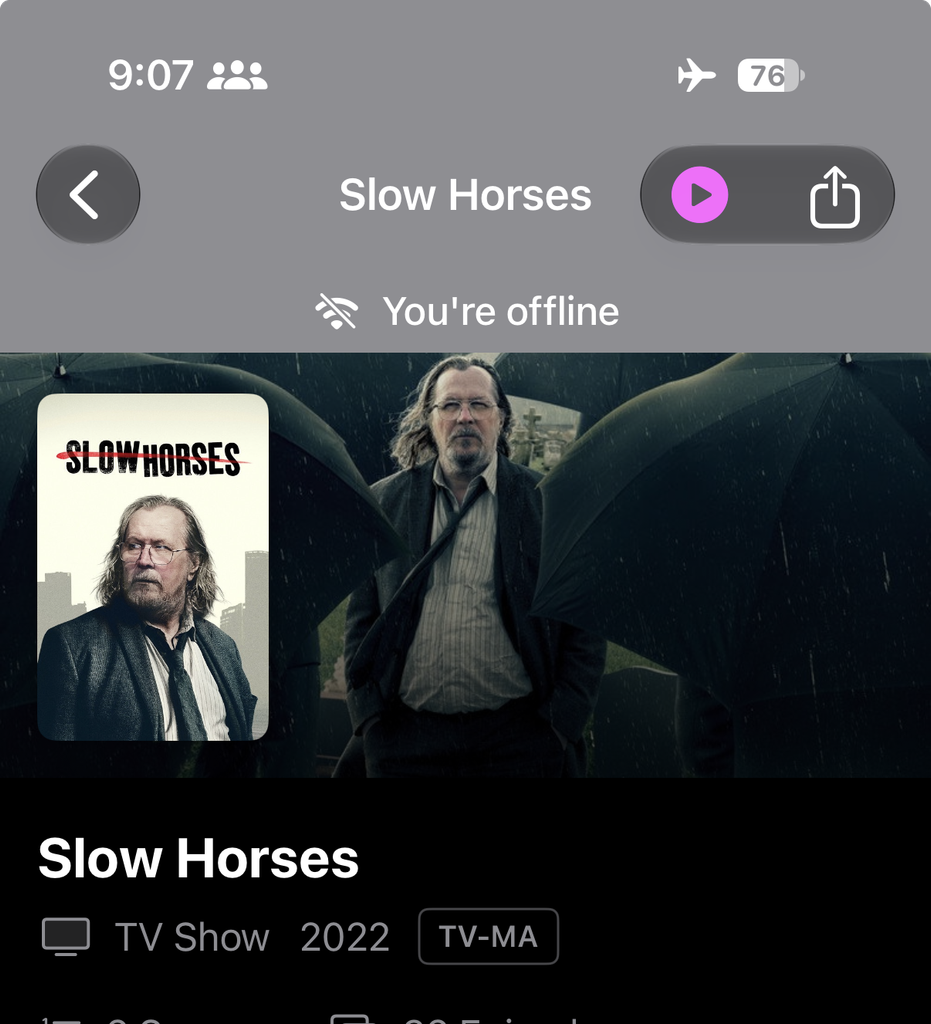
When You’re Offline
After making sure that watchlists are actually available in iCloud, across multiple devices, and ultimately backed up, there’s also the notion of sharing your watchlist with a friend or family member. So, say someone is using the app and wants to make a recommendation to add to your watchlist.
On the other end, the person you sent it to taps the file and Where Can I Watch? opens with a preview of what’s in it. They confirm, and the titles land on their Watchlist. Posters, details, and where to stream them fill in on their own.
Along with it, the app will start showing TMDB’s rating on titles. It already has that data and just hasn’t displayed it. There will also be a link out to Rotten Tomatoes for when you want the critics’ take.
The other half of this release is about what happens when the connection doesn’t cooperate. Think a plane, a subway, a spotty hotel Wi-Fi, or the one corner of the house the router can’t reach.
- A banner lets you know when you’re offline, so you’re not left wondering why something isn’t loading.
- If something hasn’t been saved yet like a show you’ve never opened, you’ll see a clear “not available offline” message instead of an error.
- You can still add shows while you’re offline. The details fill in once you’re back.
- When the network is gone, the app notices quickly instead of sitting on a spinner.
Faster Artwork
There’s now a Share button at the top of the Watchlist. Tap it and you can send your list to anyone through the regular share sheet, like Messages, AirDrop, Mail, or wherever you’d normally send something.
The thing I keep hearing is some version of “just show me what’s actually good that I can watch right now, on the services I already pay for.” That’s what I’m building next: a way to discover well-rated shows and movies that are streaming on your services, and only your services.
What’s Next?
I’m not putting a date on it, but that’s the direction.
There’s a side benefit, too. Because those screens are already on your device, they open instantly even when you are online, and they quietly refresh in the background.
It’s the kind of thing you probably won’t notice directly. You’ll just notice the app feels faster.
For now, I wanted your list to be something you could hand to someone else, and something that still works when the signal doesn’t.
Before, the app needed the network for nearly everything. Now the shows on your Watchlist are saved on your device: their details, their season and episode lists, and where they’re streaming. So when you’re offline, the shows you track still open, and you can still check which episode is next and where to watch it.
- Where Can I Watch? 1.8.0 is free on the App Store. No ads, no accounts, no subscriptions.
- Every feature is there for everyone. It uses data from TMDB and JustWatch
- If you use the app and something’s off like a shared list that won’t import, or a show that isn’t there when you’re offline then let me know.